Signs of Spring


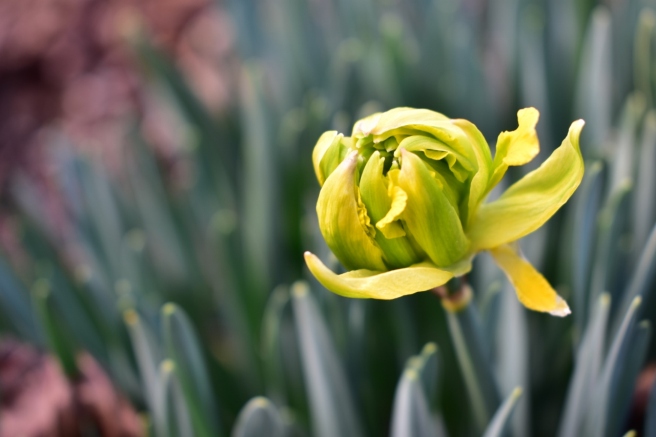
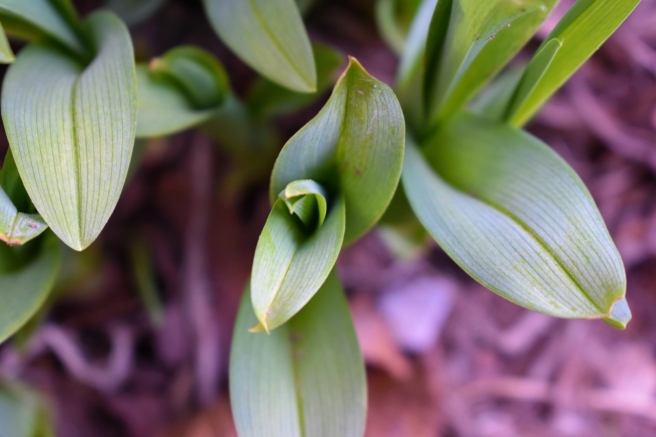
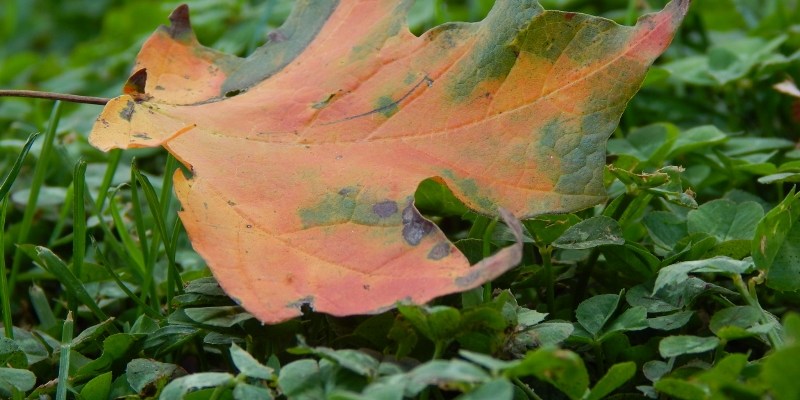
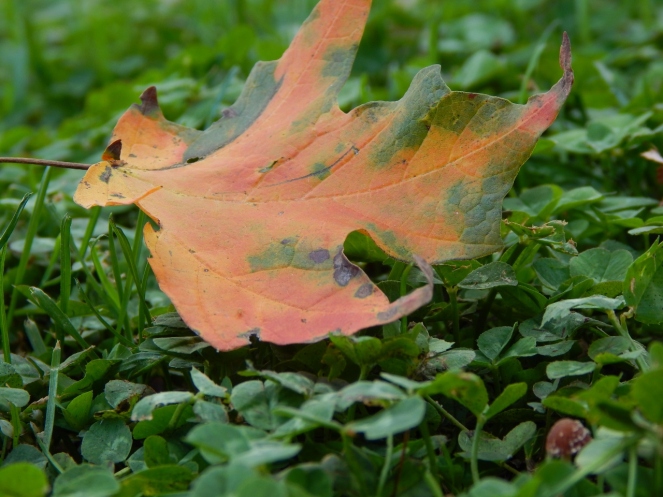
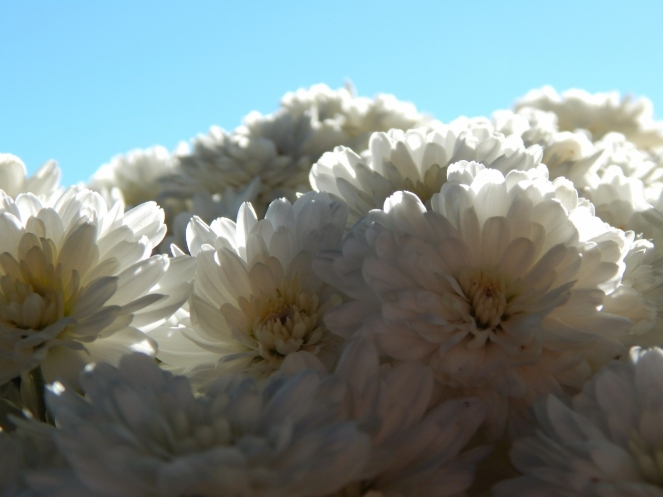
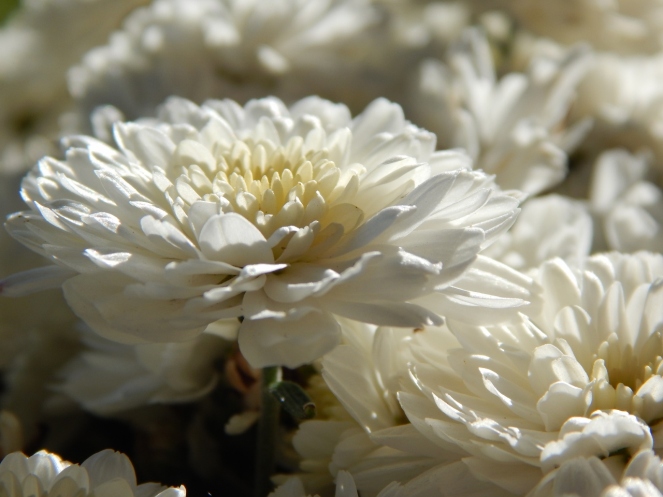
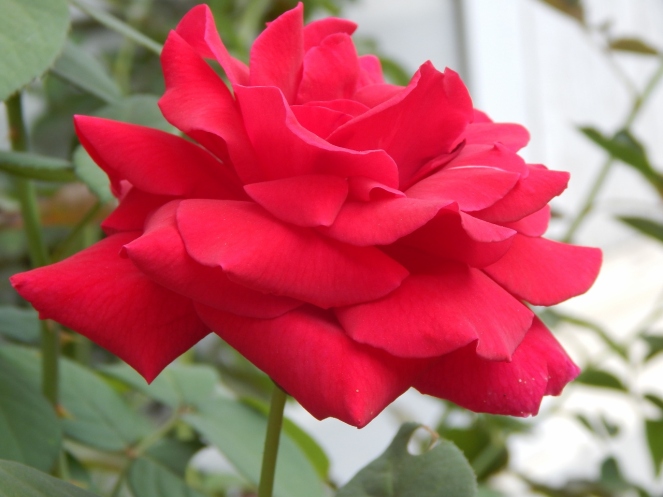
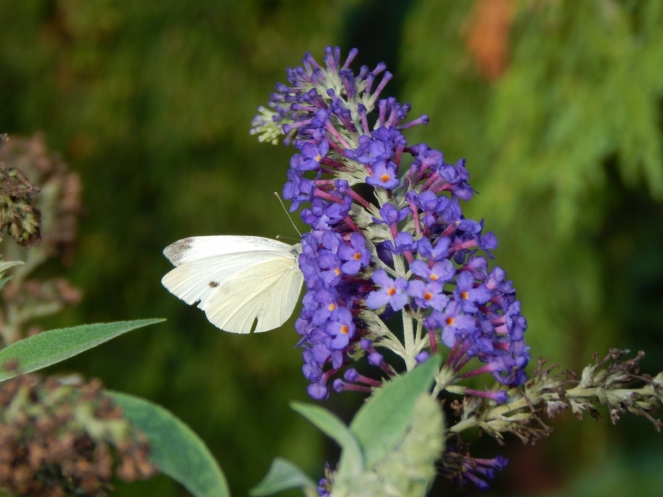
Ahh, it is SO nice outside. 🙂 I can’t believe how warm February has been! Today I went outside and snapped a few pictures of some spring things, including some gorgeous daffodils that have popped up lately.

I looove daffodils, don’t you?!

dsc_0376-1280x853

dsc_0377-1280x853
This looks like it might be a double daffodil.

dsc_0380-1280x853

dsc_0381-1280x853
AHH I absolutely love how my new camera makes the background blurry like this!

The sunshine feels (and looks) wonderful.

landscape-1-1280x853landscape-2-1280x853leaves-1280x853

Pussywillows are such adorable plants. (If plants can be adorable… XD ) They’re so fuzzy! My grandma gave us a bouquet with pussy willow twigs awhile ago, and we left the twigs in the vase until it grew roots. Then we planted them, and, well, you can see that the experiment was successful. 🙂

dsc_0382-1280x853pussywillow-1280x914flower-1-1280x939dsc_0410-1280x853

Okay so maybe Maggie isn’t really a sign of spring, but she’s still a cute model. 😀

dsc_0409-1280x853

dsc_0400-1280x853
BWAHAHAHAHA! This picture cracks me up. XD XD XD Maggie always makes this weird grimace when she scratches her ear. 😀

And on that hilarious note, I shall end this post. 🙂 I hope you enjoyed it! Which was your favorite picture?

Does it feel like spring where you live?

***Allison***

P. S. Bleh, my whole family (except Megan) either was sick, is sick, or is getting sick. 😦 I was sick already, but I think I’m getting over it now. Phew! It seems like practically everyone is getting sick all of a sudden, despite the spring-like weather. :/

How to Edit Photos, Part 1: The Basics

how-to-edit-photos-part-1-800x800

Hey, guys! 😀

Grace recently wondered if I could do a tutorial on how to edit photos, and I thought that was a great idea! I decided to make this a mini-series, covering basic photo editing, adding effects, touching up photos of people, and maybe a little bit of graphic design and collaging too. I’m really excited!

Anyway, let’s get started. Today I’m going to go over the basic photo editing tools and then show you how to use those tools to fix two common photo problems.

Introduction

I use PicMonkey for pretty much all of my photo editing, and I highly recommend it! It’s very easy to use, and it’s free – although you can pay to upgrade to Royale and get some extra features. (I have Royale, by the way, and I would definitely recommend it if you edit photos a lot. I’ll talk more about Royale later in the series.) But don’t worry about that for now. All the tools I’m going to go over today are completely free.

So, open PicMonkey, and hover over the bar at the top of the page where it says “Edit.” Open the photo you want to work on. The section of the editor that pops up is called “Basic Edits,” and that’s what we’ll be using today.

Basic Edits

  1. Crop: The first tab of the “Basic Edits” section is “Crop.” Cropping is quite a valuable tool that allows you to cut out ugly surroundings from the corners of your pictures, make the composition of your photo more interesting, or simply zoom in closer to the subject.
  2. Canvas Color: This just covers your whole picture with one color. You won’t use it to edit your photos, although it’s great for graphic designing.
  3. Rotate: The rotate tab allows you to flip your picture any way you want. It also allows you to straighten your photo, which is very helpful if you were accidentally holding your camera crooked and your subject looks like it’s sliding off the picture. 😀
  4. Exposure: In my opinion, this is the most important tab in the Basic Edits section (well, maybe it’s tied with “Crop”). You can work wonders simply by adjusting the exposure of a photo, and we’ll be using this tab a lot, later in this post.
  5. Colors: This tab includes sliders for saturation and temperature, as well as a mysterious button called “Neutral Picker.” Actually, it’s not that mysterious. 🙂 Basically, when you click on the parts of your photo that should be white, the Neutral Picker auto-adjusts the temperature to turn those off-colored spots white again. Temperature controls how warm or cool a photo is – in other words, whether it has a red (warm) tint or a blue (cool) tint. And saturation, as you probably already know, makes the colors of your photo more saturated and bright.
  6. Sharpen: Sharpness and Clarity actually ARE different – just a bit. My unscientific description is that Sharpness yields a more subtle effect and focuses on sharpening the details, while Clarity is bolder and boosts the contrast of your photo while giving it a gritty effect at the same time.
  7. Resize: This simply downsizes your photo to a smaller file size so it takes up less space on your computer (or blog). Anywhere between 800 and 1280 (and even a bit larger) would be a good size for sharing online. One thing to keep in mind is the smaller the size, the lower the quality of the picture.

Using Your Tools

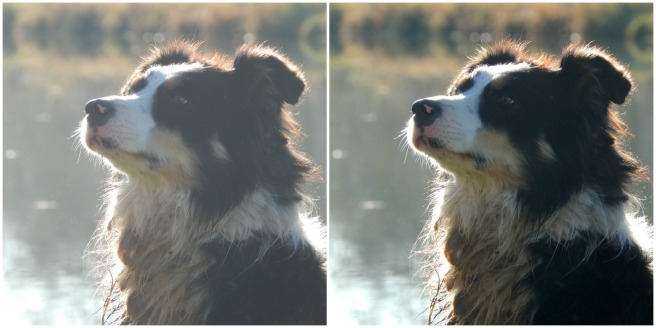
Now that you know what everything does, let’s put your tools to use! I’m just going to show you a few examples and walk you through what I did. (Note: the “before” pictures are on the left, and the “after” pictures on the right. Just in case you couldn’t tell. 😉 )
before after 8.jpg

Isn’t it amazing what the Shadows slider can do? That’s seriously all I did. I moved the “Shadows” slider to -44, and that’s it.

before after 4 (1280x640).jpg

This is a more subtle edit, but I think the “after” picture definitely looks more vibrant. The photo on the left is kind of drab and gray, so I upped the saturation a bit and adjusted the exposure. I also straightened the photo so the ocean isn’t tipped to one side like that. (And hmm, I might have lowered the temperature also, but I can’t recall for sure. Oops. XD )

before after 7.jpg

The main difference in this photo is that now you can actually see the cute wittle kitten instead of losing him in the surrounding scenery. I told you cropping was a helpful tool! 😀 I also straightened the photo so the kitten wasn’t falling off the face of the earth, upped the “Sharpness” slider, and adjusted the exposure just a tad.

before after 3 (1280x640).jpg

Wow, so much better! This picture was washed out to begin with, but by lowering the brightness and shadows, and adding a little bit of contrast, it looks bright and beautiful again like it’s supposed to. And speaking of over-exposed photos, we should move on to the fixer upper part of this post. (By the way, I l♥ve the show Fixer Upper! Have you ever watched it? It’s sooo good. Ahem…)

How to Fix an Over-Exposed Photo

An over-exposed photo is one of my most common problems. But thankfully it’s easy and fun to fix!

This is the photo we’ll start with:

087

Eh. The content is good, but the lighting is off: it’s too bright and has a sort of bland grayish-white wash over everything. We must rescue this poor photo in distress!

Pretty much everything you need to fix an over-exposed photo is in the Exposure tab, so go ahead and open that up. The two main things to do for an over-exposed picture are to lower the brightness and lower the shadows. Here’s a screenshot of what I did:

photo editing part 1 5 (1033x518).jpg

You can tell from the sliders that I lowered the brightness and shadows significantly (to -14 and -18 respectively) and added a tiny bit of contrast and highlights. And that’s pretty much it! (Note: I did also use the “Burn” tool to darken a few spots in the photo, but I’ll talk about that more in another post. For now, just concentrate on using the “Exposure” tab.)

Before and after. So much better!

before after 6 (1280x640).jpg

How to Whiten a Photo

Sometimes photos have a weird yellowish or bluish tint, especially on the light parts of a picture.

Like in this photo:

snowy-owlet-1-1-1024x768

This really isn’t a bad picture, but you can see a slight orangish tinge over everything, which makes it look dingy rather than fresh and clean. It’s especially important to get good, clean-looking photos of products you sell, and this owl just so happens to be in my Etsy shop. So, let’s clean him up a bit, shall we?

First, open the “Exposure” tab.

photo editing part 1 10 (1179x522).jpg

The main thing you need to do here is bump up the highlight slider, but I also messed with the brightness and shadows slider a bit too. Here’s a tip: use mostly highlights instead of brightness to brighten up a photo, because too much brightness will make the photo look washed out. “Highlights” brightens just the white parts instead of the whole photo.
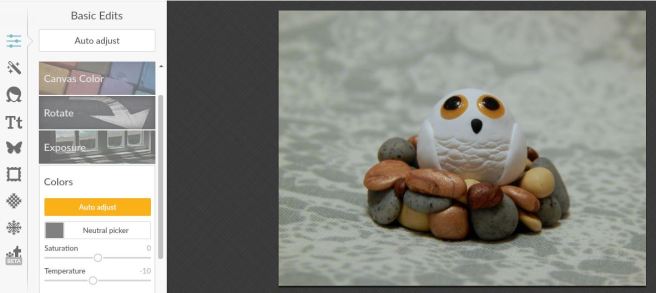
photo editing part 1 11 (1182x528).jpg

Next I opened up the “Colors” tab. Since my picture is too red, I moved the Temperature slider down to -10, which added some blue to even it out.

And here’s the before and after. A subtle difference, but do you see how the one on the right looks cleaner, fresher, and more appealing?

before-after-2-1280x640

Well, I guess that’s it! I give you a pat on the back and a virtual bag of chocolates if you read that whole thing. O.o XD

Heh heh. I hope that was helpful to you! Feel free to ask me any questions in the comments if you didn’t understand something. 🙂

Have a lovely day, lovely people!

***Allison***

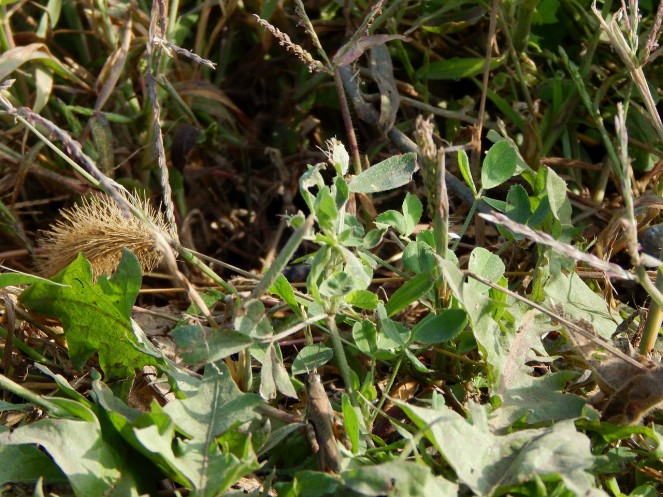
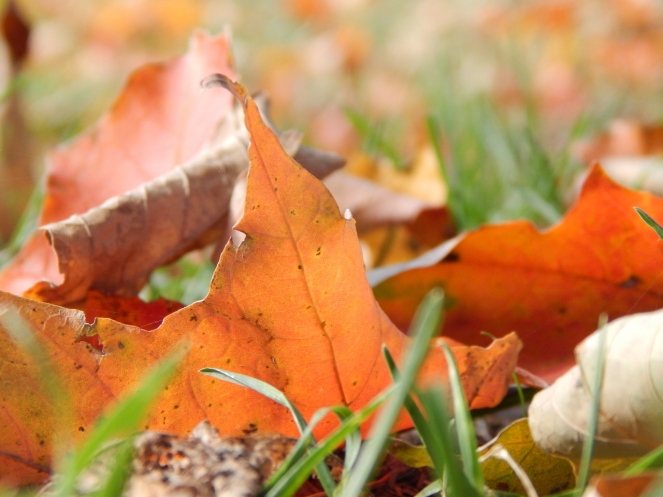
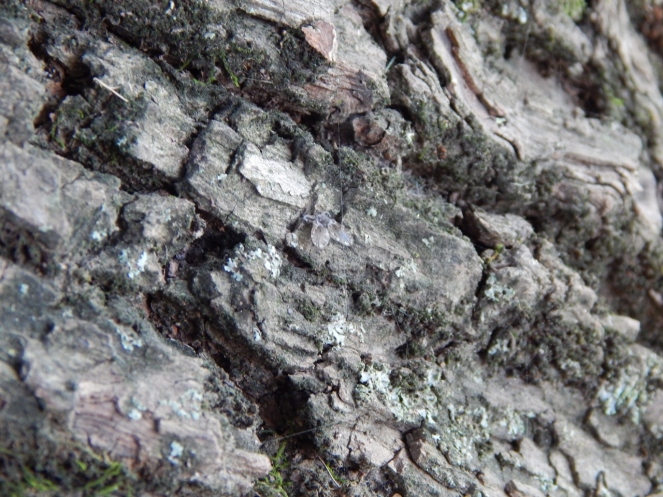
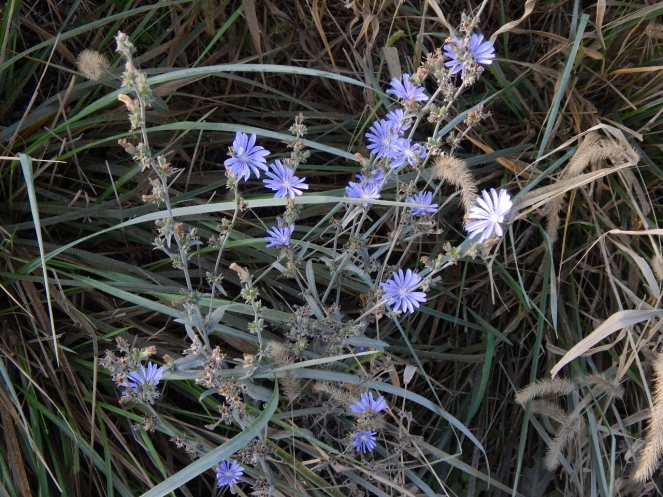
Hidden Pictures #1

Thank you, Clara, for suggesting this post idea! 😀 I’m really excited to show you this, guys! It’s similar to my mystery pictures posts, but more like “I Spy.” I’m going to list the hidden items for you to find, then give you several pictures with those items hidden somewhere inside. I also included a few extra pictures that don’t have any of the hidden items to make it a bit more tricky. 😀

These are six things to find in the pictures below.

  • a butterfly
  • a mushroom
  • a gnat
  • a grasshopper
  • a pinecone
  • an ant

hidden-pictures-2

88-1280x960hidden-pictures-381-1280x960hidden-pictures-4hidden-pictures-6

hidden-pictures-8
By the way, this is not the mushroom you have to find. I wouldn’t go THAT easy on you. XD

99-1280x960

Since I haven’t done this before, would you guys mind telling me your opinions on it? Was this too easy? Too hard? Just right? Do you like this kind of posts or not?

I hope you had fun! Oh, and if you need a hint, I’d be glad to help you out in the comments. 🙂

***Allison***

P. S. Autumn is in full swing here, guys! A few of our trees are practically burning up with fall colors. Ahh, so pretty. 🙂


Autumn In Bloom

Ohhhhh October is such a beautiful month! It’s seems like the colors are twice as rich and the air is twice as clear and the sky is twice as… okay, you get the point. October is nice. 😀

I’ve been taking so many fall pictures lately – like SO MANY! How will I ever post them all? Today I’m going to post some photos of chrysanthemums.

2016-10-12-allisonfallcalvesbuildings-14-1280x960allisonclay-succulents-mums-045-1280x9602016-10-12-allisonfallcalvesbuildings-17-1280x960allisonclay-succulents-mums-046-1280x9602016-10-12-allisonfallcalvesbuildings-18-1280x960

allisonclay-succulents-mums-047-1280x960
I love this photo! It’s currently the wallpaper for my phone. 🙂

2016-10-12-allisonfallcalvesbuildings-21-1280x960allisonclay-succulents-mums-048-1280x9602016-10-12-allisonfallcalvesbuildings-24-1280x960allisonclay-succulents-mums-049-1280x960

allisonclay-succulents-mums-054-1280x960

2016-10-12-allisonfallcalvesbuildings-25-1280x9602016-10-12-allisonfallcalvesbuildings-26-1280x9602016-10-12-allisonfallcalvesbuildings-27-1280x960

Ahhh! So pretty. ♥ Are you enjoying fall so far? What’s your favorite or least favorite part of it?

***Allison***

P. S. That miniature garden-related post is coming up next! It’s going to be a very EXCITING POST! 😀

Random Photography Part 2

I have a bunch more stray pictures for you today! (23 to be precise. XD ) You’d better warm up your scrolling finger…

First we have some flower pictures:

allisonbaby-bunnies-flowers-090-1280x960
Sunflowers are such sunny things!

allisonbaby-bunnies-flowers-027-1280x960allison-029-1280x960

allisonbaby-bunnies-flowers-061-1280x960
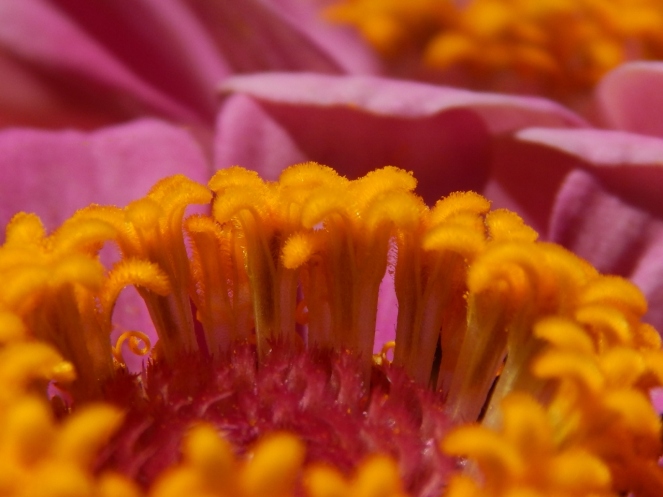
I love looking closer at things, like this zinnia. The centers are so pretty!
allisonbaby-bunnies-flowers-060-1280x960
A little crab spider (I think) came in with our bouquet. But he was tiny, so it was okay. XD
allisonbaby-bunnies-flowers-058
Does anyone see any evidence that maybe the crab spider was here? I do!

031-1280x960028-1280x960


And then a bunch of Nature pictures:

006-1280x960
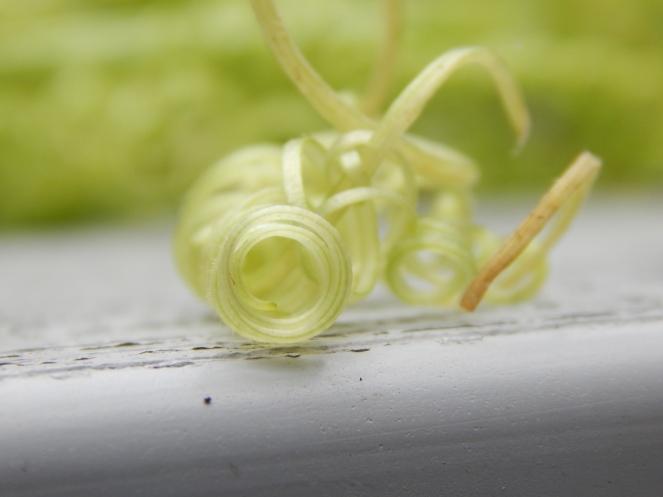
This is a gourd tendril. Aren’t they so pretty? They look like curly green hair. 😀

009-1280x960012-1280x960

010-1280x960
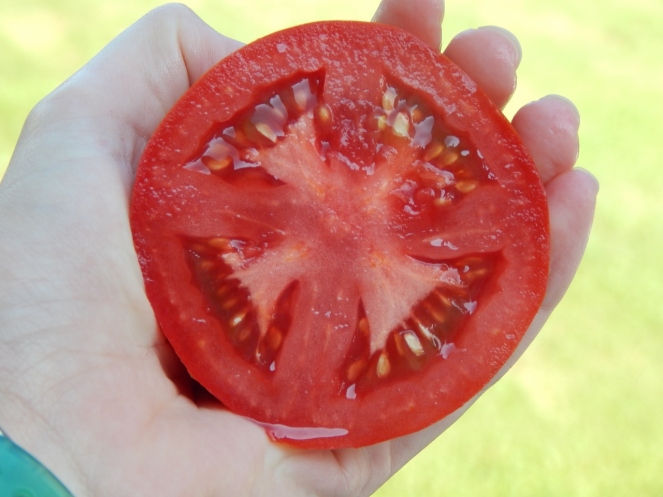
Such a picture-perfect tomato. 🙂 It had a lovely cross in the middle.
allisonpuppies-creaming-corn-028-1280x960
I took this picture on Corn-Creaming Day when we harvested our sweet corn.
allisonbaby-bunnies-004-1280x960
I love this shot! After I took it I noticed the fly. XD Can you find it?
allisonbaby-bunnies-007
I was trying to get a picture of the bird taking off, but it didn’t work so well, so I finally stooped to taking a still out of a video. XD

allisoncoloring-baby-bunnies-033-1280x960

allisoncoloring-baby-bunnies-034-1280x960
allisonbaby-bunnies-038-1280x960
Does anyone know what this beetle is called? It was on the side of our car.
allisoncoloring-baby-bunnies-044-1280x960
Ohhh I love dew drops!
allisonpets-walk-skidloader-015-1280x960
Butterflies’ eyes are weird.
allisonpets-walk-skidloader-021-1280x960
Look at all the teensy-weensy baby spiders! They were way tinier than this in real life, but my camera has good zoom. I don’t know if they’re cute exactly, but I think it’s the closest spiders can get. XD
allisonpets-walk-skidloader-025-1280x960
This guy is NOT so cute. But he is beautiful! Isn’t it amazing how God creates even the tiniest creatures with such beauty and intricate detail? I mean just look at all the different markings!
allisonpets-walk-skidloader-059-1280x960
And last but not least, a sunset. ♥ It was oranger than this in real life, but my camera was on Dawn/Dusk setting which always makes the sky pinker than it is.

Are you still with me? Oh good. 😀 Then which picture was your favorite?

***Allison***

P. S. Ahh, it’s so beautiful outside today! It’s really starting to feel like fall, even though not many leaves have turned color yet. How’s the weather where you live?

Moon Photography (+ BIBPC)

Greetings and salutations, my friends! XD

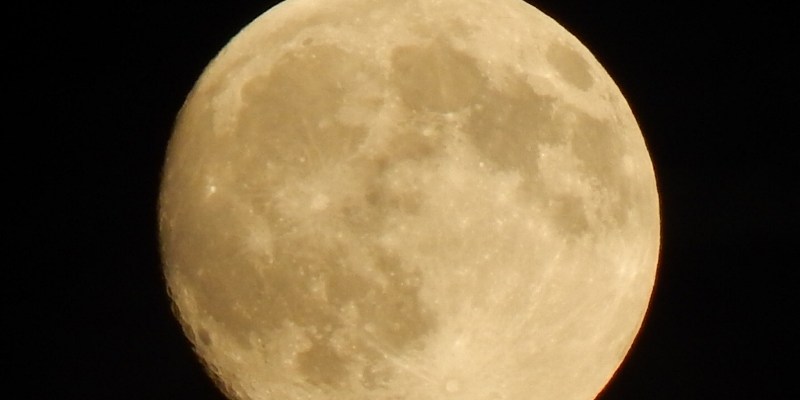
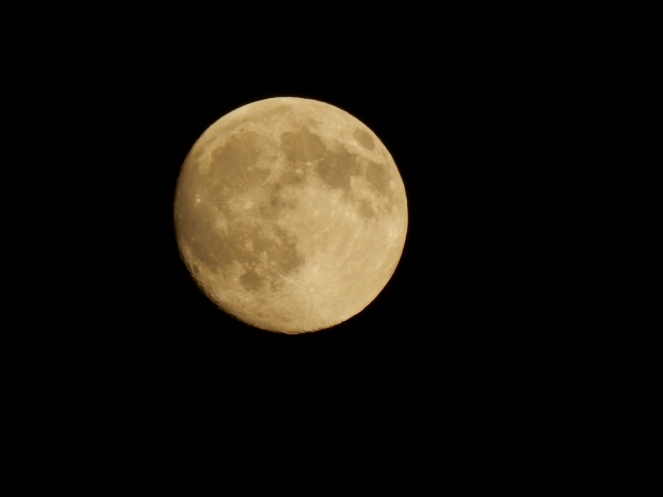
I recently got some really neat photos of the moon that I thought I’d share. I love moon photography, but it can hard to get a moon instead of just getting a picture of a white blob in the sky. :/ This time it worked out pretty well, though!

I had fun making the moon look like a marble on a marble track… (aka a barn roof)

-Allison(BABY BUNNIES!) 011 (1280x960)-Allison(BABY BUNNIES!) 016 (1280x960)-Allison(BABY BUNNIES!) 015 (1280x960)

Or a bead on a necklace (the moon behind a power line). 😀 Have you ever done this kind of moon photography? It’s really fun!

-Allison(BABY BUNNIES!) 012 (1280x960)

And of course, I took plenty of “normal” pictures of the moon.

-Allison(BABY BUNNIES!) 013 (1280x960)-Allison(BABY BUNNIES!) 014 (1280x960)-Allison(BABY BUNNIES!) 017 (1280x960)-Allison(BABY BUNNIES!) 018 (1280x960)-Allison(BABY BUNNIES!) 019 (1280x960)

-Allison(BABY BUNNIES!) 022 (1024x768)
This is probably the best moon photo I’ve gotten so far! 😀 You can even see little craters and details!

-Allison(BABY BUNNIES!) 032 (1280x960)

I got this next, rather strange photo by using a higher exposure (more on that in just a minute). The lighting is really weird! It looks kind of like a mini moon-set. XD

-Allison(BABY BUNNIES!) 031 (1280x960)

I figured out that it really helps to capture detail on the moon if you set your camera to a lower exposure.Here’s a little chart of how exposure affected my pictures:

moon photography tip

Kind of neat, huh?

Lower exposure is helpful for a lot of things – from making roses redder to fixing bright photo conditions. I’m sure some of you already knew this, but it was helpful for me, so I thought I’d share it! 😀

Do you have any tips for moon photography? Isn’t the moon such a beautiful thing? 🙂

And now for my BIBPC entry. The category this time was “Weeds.”

-Allison(dew drops, hat, nature walk, bunnies, cottonpile) 049 (1280x960).jpg

Story Behind the Photo: I took this picture several months ago in spring (I love spring!). This is a picture of speedwell – that little weed with blue flowers that grows everywhere. The tiny flowers are so cute and pretty to me! When I was little, I used to collect a bunch of blossoms and float them in a blue bowl full of water. 🙂 It was actually really pretty.

Before I leave, I’ll give you a little sneak peek of future posts: I’m hoping to write the second chapter of Beauty from Ashes and do a post about my fair entries soon! 😀

Bye for now!

***Allison***

Let’s Play a Little Game Answers + News

Ahem. This post is scheduled because I am getting my wisdom teeth out on Monday morning! *Sniff* It’s kind of exciting, but… yeah. 😦 I would appreciate prayer for a quick recovery. ♥

Also, I have exciting news that is way happier and not as painful. XD My blog and I are going to be featured on Discover today! (This post was featured before, but this time they’re featuring my whole blog.) I’M SO EXCITED OH MY GOODNESS YAY! Check it out here on the Discover page. It’s not up yet, but it should be sometime today. 🙂

Okay. Now that the news part is done, we can move on to the game answers.

I simply matched up the vegetables with the correct number of flower. (Heh heh, that’s more confusing than simple I guess – just look at the pictures instead. XD )

Garden Game Answers 1Garden Game Answers 2

And the extra flower is…

-Allison(garden game) 036 (1280x960).jpg

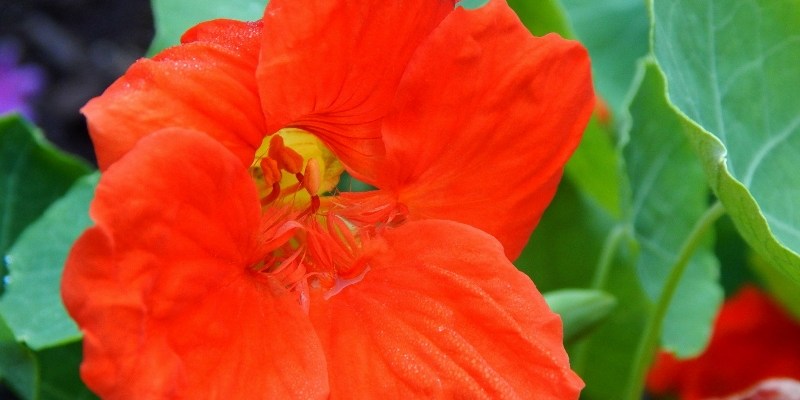
A nasturtium which incidentally can be eaten too. XD

I think garden flowers are neat because some (like the okra flower) look like real flowers, and others (like the lettuce flower and asparagus berries) I was surprised to see at all! You don’t really think of lettuce having a flower (at least I don’t).

And the winner is…

*

*

*

*

*

*

*

*

*

CutePolarBear! You officially get the Green Thumb Award. XD

This was a pretty hard game, but you did a great job guessing, CutePolarBear! 😀

Thus ends your before-school nature lesson. XD

***Allison***

P. S. One last piece of news. We got our entries and ribbons back from the fair! My sister and I were pretty successful this year. 😀 I always love entering things in the fair!

BIBPC + Updates

Hey, guys! This post shall have various and random things in it. 😛

BIBPC

I’m participating in Megan’s photo contest, BIBPC, so here are my entries for the first and second category. (Since I’m her sister I got away with showing her the first one without posting it – so it’s late but it doesn’t matter. 😉 )

#1: Fuzzy

Story behind the photo: We went to look at a friend’s Saint Bernard puppies (there were 11!) and I took a gazillion photos of cuteness itself. This picture is a sneak peek of a future post. After playing with the puppies for a while, they were thoroughly exhausted and flopped down to sleep. HE IS ADORABLE, OKAY!

-Allison(puppies, creaming corn) 119.JPG

#2. Dew drops

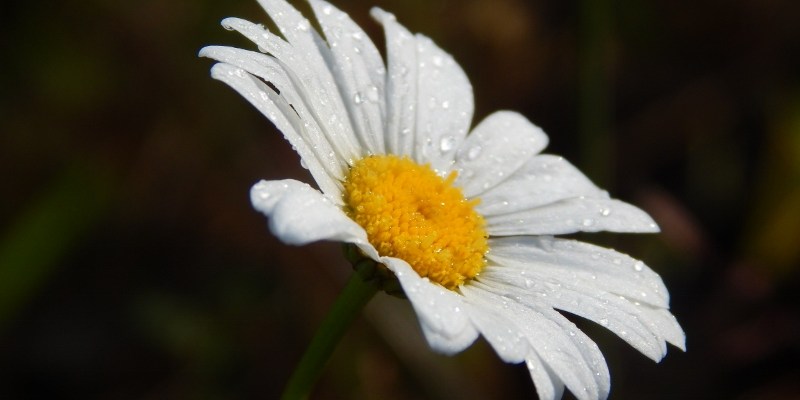
Story behind the photo: I got this picture when we were on vacation. It was just after a rain, the lighting was perfect, and the picture turned out really well! The daisy looks happy, don’t you think?

-Allison(Vacation) 167 (1280x960)

Art Lab

Art Lab is back, new and improved! We added some new artists to our team, which is now composed of Hayley, me, Megan, Clara, and Anika! We will take turns posting on our personal blogs, and then copy our post to the Art Lab blog (which we’re redesigning). We’re also going to have a gallery page where you can send in pictures of your art inspired by Art Lab!

Swap Shop

Speaking of art, Hayley is doing a really neat art contest – with prizes! Check out her post for details. And if you like my entries, I’d love if you’d vote for them! 😀

Blog Photos

I know that some of the photos on my blog haven’t been showing up. You know why? I uploaded them from Google Drive, per Clara’s amazing free space tutorial, but unfortunately Google changed Google Drive recently which means that the photos won’t work! BAD GOOGLE! Thankfully I can still have free space by creating another random blog and copying and pasting my pictures from there. Phew!

See ya’ later!

***Allison***

Beautiful Blossoms

Hey, it’s an alliterative title!

Wohoo.

Great. XD

Annnyway, I took pictures of these pretty flowers on our trip. The lighting and everything was perfect, so these turned out really well!

-Allison(Vacation) 157 (1280x960)

-Allison(Vacation) 160 (1280x960)

-Allison(Vacation) 162 (1280x960)
I really like the composition of this one.

-Allison(Vacation) 163 (1280x960)

-Allison(Vacation) 164 (1280x960)

-Allison(Vacation) 167 (1280x960)
I LOVE THIS ONE!

-Allison(Vacation) 168 (1280x960)-Allison(Vacation) 169 (1280x960)

-Allison(Vacation) 171 (1280x960)

These aren’t exactly flowers, but I wanted to include them too. 🙂

-Allison(Vacation) 165 (1280x960)-Allison(Vacation) 166 (1280x960)

-Allison(Vacation) 172 (1280x960)

I’m so glad God made flowers. 😀

***Allison***